
Coe Operations GB Counties is a test and training app to improve your knowledge of British flags, county towns and, more importantly, the ability to place counties on a map. It includes links to Kiddle (Kids Encyclopedia Facts) or Wikipedia for further information and to Google Maps.
Several metropolitan counties are included, partly because of the availability of suitable maps. Where they do not have recognised county towns the largest town has been chosen instead.
Because the starting point has been flags, the traditional or historic counties of Scotland and Wales have been used rather than the current ones of today. This has meant that in a handful of cases the search criterion for Google Maps is modified for slightly better results.
Albeit not abbreviations, as a courtesy to Welsh speakers the abbreviation facility of the Option List has been used for Welsh names, although 'Sir' has been dropped, enabling their input if preferred.
Click the icon above to play in your web browser.

Individual countries can be selected by tapping or clicking the menu bar buttons at the top. The default option is the whole of Great Britain. Your selection is saved for launching next time in the Android app or your web browser's local storage.


There are two views, Flag View and Map View where you can learn or test your knowledge of different counties' locations. Click the button to switch views except in Flash Test Mode.


There are two modes, Display Mode that shows counties and their county towns and Test Mode. Display Mode comprises hyperlinks from the flags, maps and county towns to their respective Kiddle or Wikipedia pages. Kiddle is the initial option for juniors, toggle the bottom right hand button for Wikipedia.
You can type directly into the input field with Quick Select to select counties beginning with that letter or ones with Chapman codes that do. If there are none, the next available option is selected with audible feedback instead, otherwise you may continue typing and/or press Enter/Go when ready. Alternatively use the Option List itself to go to your chosen destination. Backward and forward buttons are also provided for navigation; the Left and Right Arrow keys can be used when viewing on a computer.
Display Mode also has a Play button to move on every seven and a half seconds, so the screen stays on because of its slideshow characteristics in the Android app and in most browsers. Do not leave your device unattended as it could drain the battery. You will be asked however whether you are still watching after 10 minutes of inactivity.
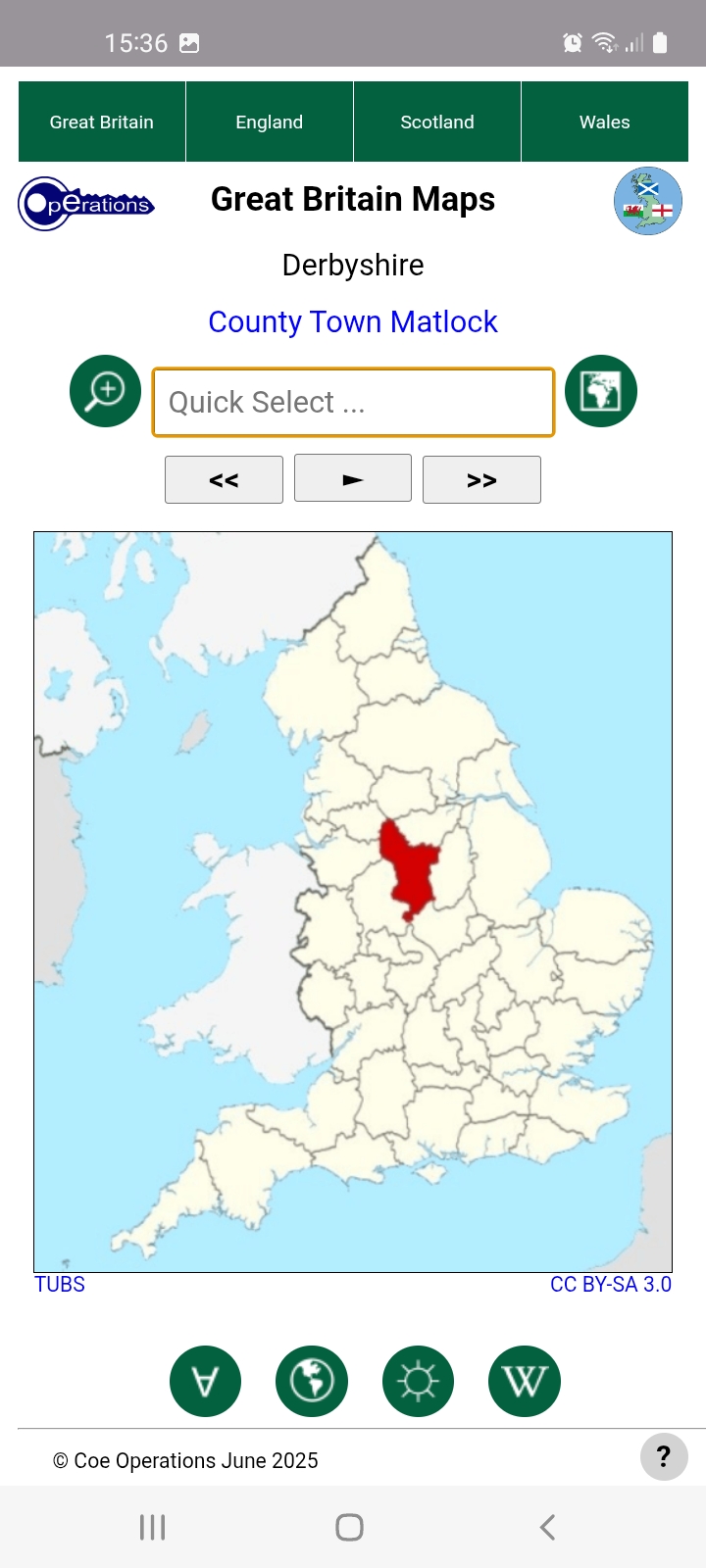
Maps are best viewed by country in Display Mode as it effectively fixes the map with no movement.
GB Counties launches in whichever mode was last used if local storage has been granted. Click the Mode button to cycle between them.
There are two primary test modes for testing your knowledge of county flags or locations, just switch view for either. Switching is discouraged during tests however but can sometimes help as a prompt if you're stuck.
Tests should be conducted in portrait orientation on moble devices to accommodate the virtual keyboard, which may be hidden on phones for visibility in map view. Tap the input field to activate and once more if you wish to hide the Option List.

There are three further test options, 10 random questions or all counties in your chosen country, a City option for testing your knowledge of county towns plus Flash Test Mode for accomplished users wanting an extra challenge. Flash Test Mode flashes flags up for one tenth of a second or maps for a half and is not available for city tests.

The final button is not actually a test button but as stated above is for choosing between Kiddle and Wikipedia for information on countries or their capitals.
You may skip or go back to earlier questions as and when you please. Correct solutions are shown after three wrong answers and may be reviewed at the end of the test. Press the central Stop button to exit the review.
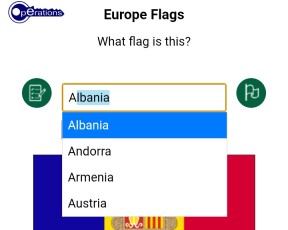
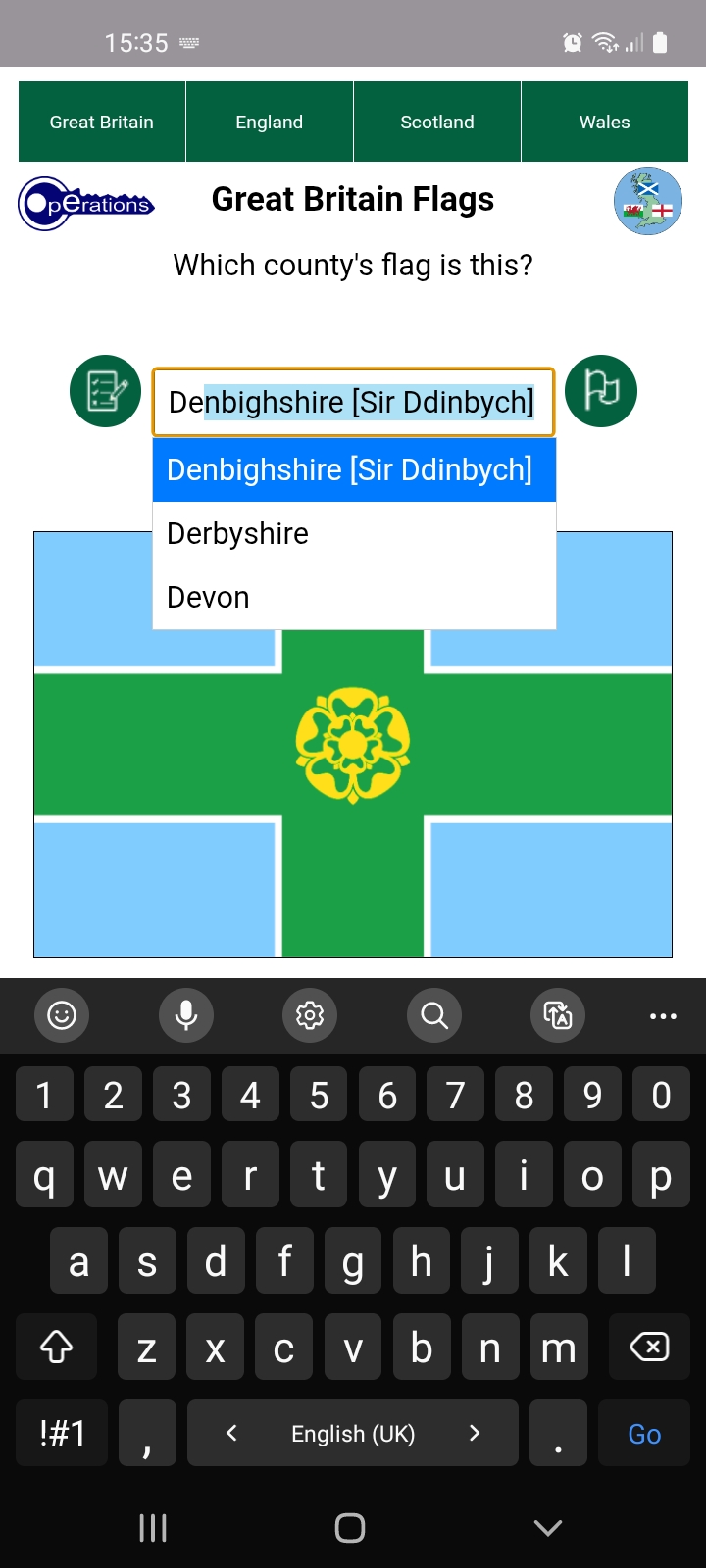
Typing is the preferred input method. Options beginning with entered text are filtered and autocompleted as you type, as shown above and in the following image. Since options are limited to those in the list, you are audibly warned when none exist, most likely the result a typing error, and the offending character is removed. Just accept the free hit if it wasn't a typo.
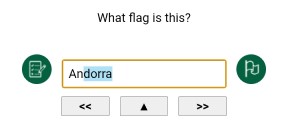
Press Enter/Go or the central Submit button once filtered to the first or last remaining option, as shown above, to submit that as your answer. No further typing is necessary. Use the Backspace key as usual to correct mistakes.
Abbreviations are accepted too. GB Counties now uses Chapman codes, which substantially reduces input. They are enclosed within square brackets in the Option List.
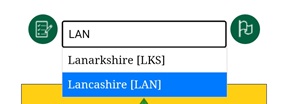
Lancashire is one example where its abbreviation does not filter to a single option but is nevertheless selected as complete. You may therefore press the Enter/Go key to submit or continue typing to filter it out.
This facility has also been used for alternative inputs such as Welsh names should you prefer. You can find them all by scrolling the full list.
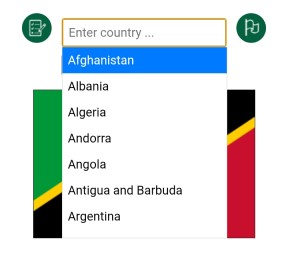
Selection can also be made by directly interacting with the Option List itself. Tap or click the input field at any time to show or hide it. Nothing is displayed where no options match the text in the input field, whereas all options are available when there is none.
The list can be swiped as usual on touch screens or scrolled with the mouse wheel on computers. Items are selected by tapping or clicking them. Press the Submit button or the Enter/Go key to submit your answer. Of course you may use a combination of typing and the Option List.
The Up and Down Arrow keys can also be used on computers to activate the option list if hidden and to scroll and dynamically make selections. Press Enter when ready.
User preferences are saved in the Android app and, if permitted, your browser's local storage, so your settings and whether you closed during a test can be restored. If you have more correct than wrong answers you are asked whether you wish to resume the test next time you launch the app.
If granted, local storage is also used for app data to minimise load time.
Bug fixes or additions in the latest release.
06/10/2026
Updated: Added link to Google Maps from maps and county towns in Map View.
03/10/2026
Updated: Test Mode image scale adjustments for iPhone.
02/10/2026
Updated: Allowed smaller maps for keyboard during city tests on mobiles.
28/09/2026
Updated: Image scaling on mobiles during tests.
26/09/2026
Updated: Maintain Option List selected item between wrong answers.
25/09/2026
Fixed: Resolved input focus events with unwanted keyboard activation on mobiles.
24/09/2026
Fixed: Message channel closed error when dynamically added element clicked.
Updated: Up Arrow key also activates Option List.
23/09/2026
Updated: Maintain Option List selected item in Display Mode.
Fixed: Reviewing wrong answers no longer scaled for virtual keyboard.
Fixed: Accreditation hidden during flash tests.
21/09/2026
Added: Thumbnail flags over maps in Display Mode.
19/09/2026
Updated: Improved layout for more devices in landscape orientation.
16/09/2026
Fixed: Returning focus on input after mouse-click on buttons.
11/09/2026
Added: Audible feedback added to Quick Select.
09/09/2026
Updated: No spaces in image filenames.
Fixed: Full screen button only available where supported.
29/08/2026
Added: Full screen mode added for most browsers.
19/08/2026
Updated: County name is now displayed below flag in landscape orientation.
06/08/2026
Updated: Option List Quick Select has been upgraded.
02/08/2026
Updated: Option List now displays full list item when abbreviation input.
07/06/2026
Fixed: Immediately showing virtual keyboard when launching flag tests.
27/05/2026
Updated: Rolling Display Mode moves on every seven and a half seconds
rather than the arbitrary five to aid memory retention.
24/05/2026
Updated: Show city during City Test reviews.
Updated: Option List now includes Unicode characters but filtered in ASCII.
Updated: Images better scaled on iPhones during tests.
16/05/2026
Added: Chapman county codes as abbreviations.
Updated: Use local storage to save and retrieve state data if allowed.
Updated: Questions are no longer repeated after three wrong answers but can be
reviewed at end of test.
Updated: Next scheduled image is preloaded when current one displayed.
All flags have been sourced from British County Flags.
All maps have been cropped and resized from originals sourced from Wikimedia Commons, some with minor edits and Welsh ones recoloured for consistency.
You are free to use and distribute this software or web package provided it is accredited and supplied in its entirety with no alteration and that no fee is charged. All source code remains the property of Coe Operations.
© Coe Operations June 2025